01 · LOAD
Select the folder containing your DWGs.
Load the drawing set from one folder instead of opening every file individually.
DWG BATCH AUTOMATION · AUTOPLOTTER
Select a drawing folder. AutoPlotter reads plot areas and title blocks, then turns the DWG set into an organized batch of PDFs.
ONE SELECTION. EVERY SHEET.
Opening files, finding plot areas, checking title blocks, and organizing PDF names: AutoPlotter joins those repeated actions into one flow.
ONE FOLDER · FOUR ACTS
The visual below explains the real processing order. The actual product screen and run video follow later on the page.
01 · LOAD
Load the drawing set from one folder instead of opening every file individually.
02 · DETECT
AutoPlotter identifies drawing frames and organizes the files into sheets for output.
03 · READ
Drawing numbers and titles are connected to the output list so the result can be reviewed before plotting.
04 · PLOT
Process the reviewed drawing set in one output flow, reducing repetitive clicks and file cleanup.
REAL PRODUCT · DETECTION
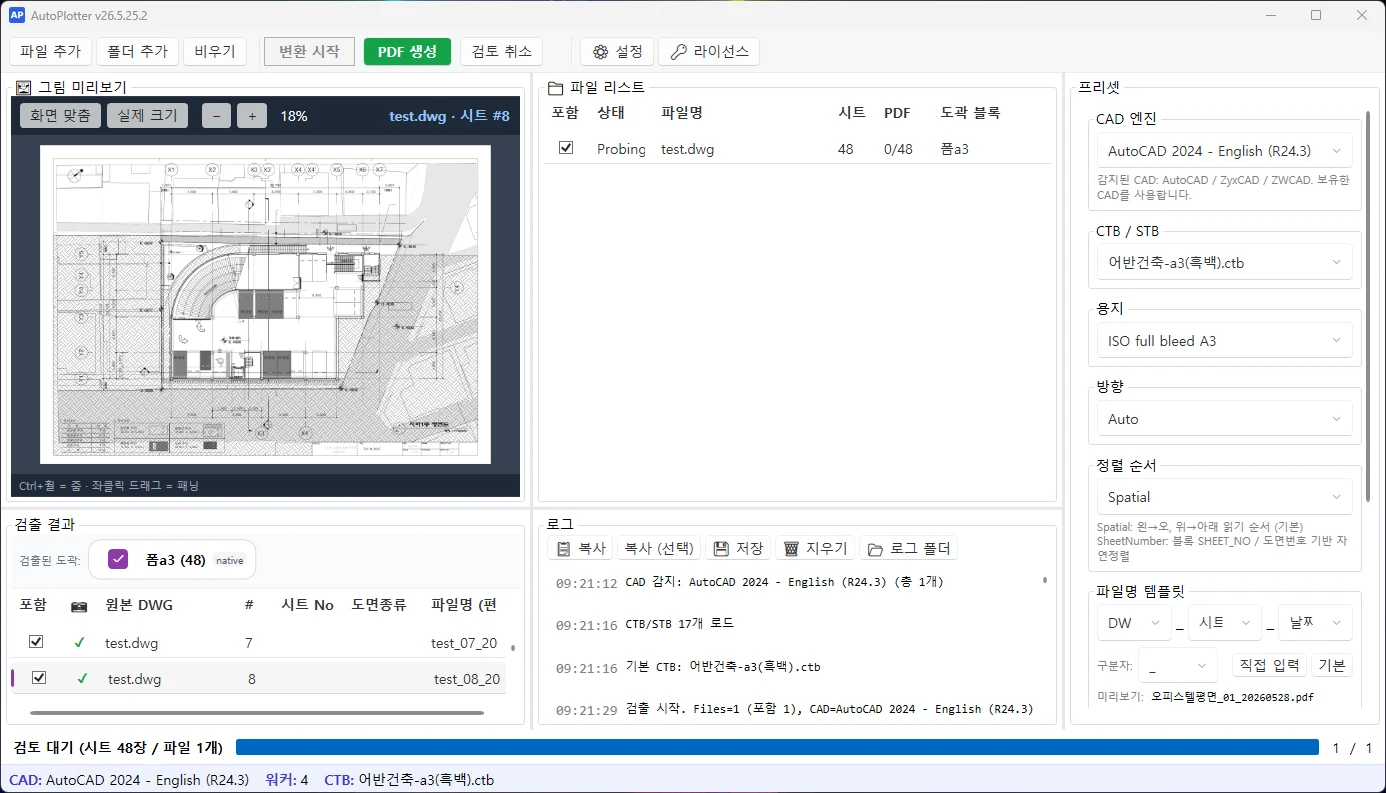
The AutoPlotter screen shows the loaded drawing list and the plot information found in the files.
OUTPUT CONTROL
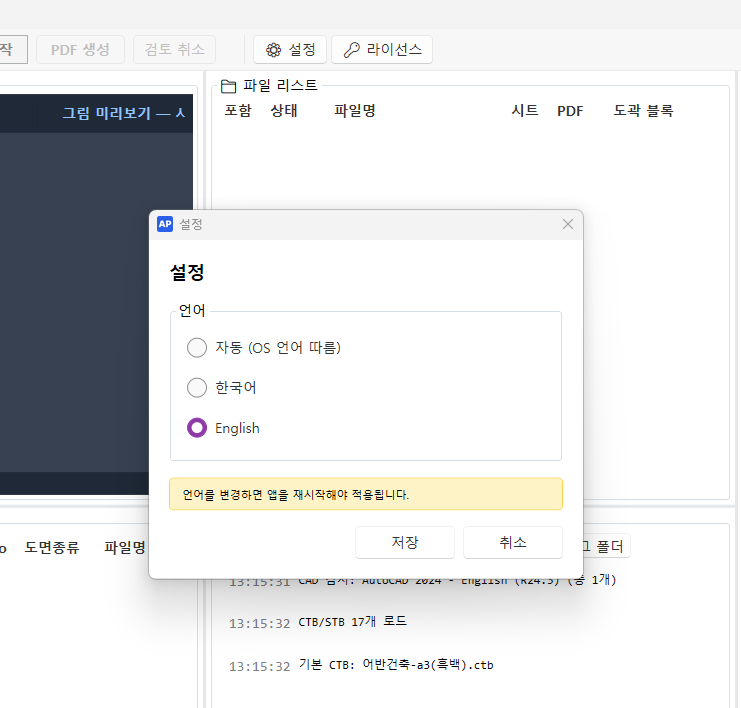
Review CAD type, CTB, Korean folder paths, and output conditions in settings, then save the configuration for your workflow.
A QUIET PRODUCTION LINE
Reduce the handwork between opening, checking, naming, and plotting so more time stays with drawing review.
REAL RUN · VIDEO
See AutoPlotter load and process a drawing set in the real run video.
READY FOR THE NEXT FOLDER
Personal perpetual license · 1 machine · 1 year of free updates
49,000KRW